Automate Your Bingwa Sokoni Earnings
Bingwa Sokoni rewards M-PESA Agents & Dealers for recommending Safaricom data and voice offers to customers.
15%
New Customers
10%
Repeat Customers
HOW TO GET STARTED
Buy License
Download App
Start Earning
Welcome Agent
Bingwa Sokoni

Today's Commission
KSh 2,450
12 sales automated
8
New (15%)
4
Repeat (10%)
Bundle Sold
Just now
+KSh 75
Data Bundle
2 mins ago
+KSh 150
Voice Bundle
5 mins ago
+KSh 50
📱 Need Help?
How It Works
Automate your Bingwa Sokoni sales instead of doing it manually - earn commissions 24/7
Who Can Join?
All M-PESA Agents, Dealers, and Lipa Na M-PESA Merchants with a registered till
Register for Bingwa Sokoni
Dial *180# on your M-PESA registered line and follow prompts to register
Customer Sends Payment
Customer sends M-PESA to your till for data/voice bundles
App Auto-Processes
Bingwa Sokoni app detects payment and dials USSD automatically
Earn Commission
15% for new customers, 10% for repeat customers - automatically!
IMPORTANT: Till Number Required
To use Bingwa Sokoni automation, you MUST have a registered Lipa Na M-PESA Till Number. Without a till number, you cannot receive customer payments or earn commissions.
Don't Have a Till Number Yet?
Choose the option that suits your needs - Personal Name (FREE) or Business Name (Professional)
Get a till number that displays your personal name (as per your ID). Quick and easy registration.
Option 1: Visit the official Safaricom portal below
Option 2: Dial *234# -> Lipa Na M-PESA -> Apply for Till
Get a till number that displays your registered business name for a professional look.
Need help? We'll guide you through the entire process - from business registration on eCitizen to getting your till number.
Why Choose Business Name Till?
Professional Look - Builds customer trust
Brand Recognition - Customers remember you
Business Growth - Open business accounts
Our Agents Are Getting Paid!
Real M-PESA confirmations from agents earning with Bingwa Sokoni automation
M-PESA
Safaricom PLC
Congratulations! TLADP0NM8F confirmed. You have received Ksh2,000.00 from Bingwa Sokoni Commission on 10/12/25 at 9:16 PM. New M-PESA balance is Ksh2,657.56. Separate personal and business funds through Pochi la Biashara on *334#.
Amount Received
KSh 2,000
Source
Bingwa Sokoni
Authentic M-PESA confirmation message
🔥 Limited Time: Get Started for just KES 250!
Try all features for 24 hours • No commitment
Calculate Your Earnings
See how much you could earn with Bingwa Sokoni based on your daily sales
New (15%)
Repeat (10%)
Daily Commission
Ksh 625
Monthly Commission
Ksh 0
30 days
Yearly Commission
Ksh 0
Based on Bingwa Sokoni rates: 15% for new customers, 10% for repeat customers
Ready to boost your earnings?
Join hundreds of agents earning more with Bingwa Sokoni
See It In Action
Beautiful, intuitive interface that makes earning effortless
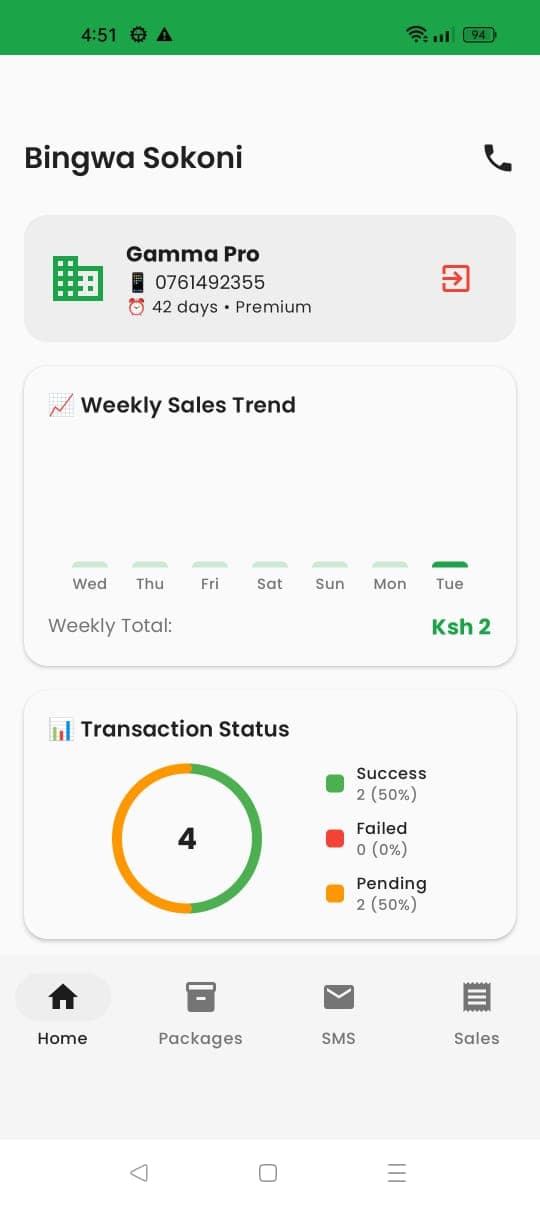
Dashboard - View earnings & transactions
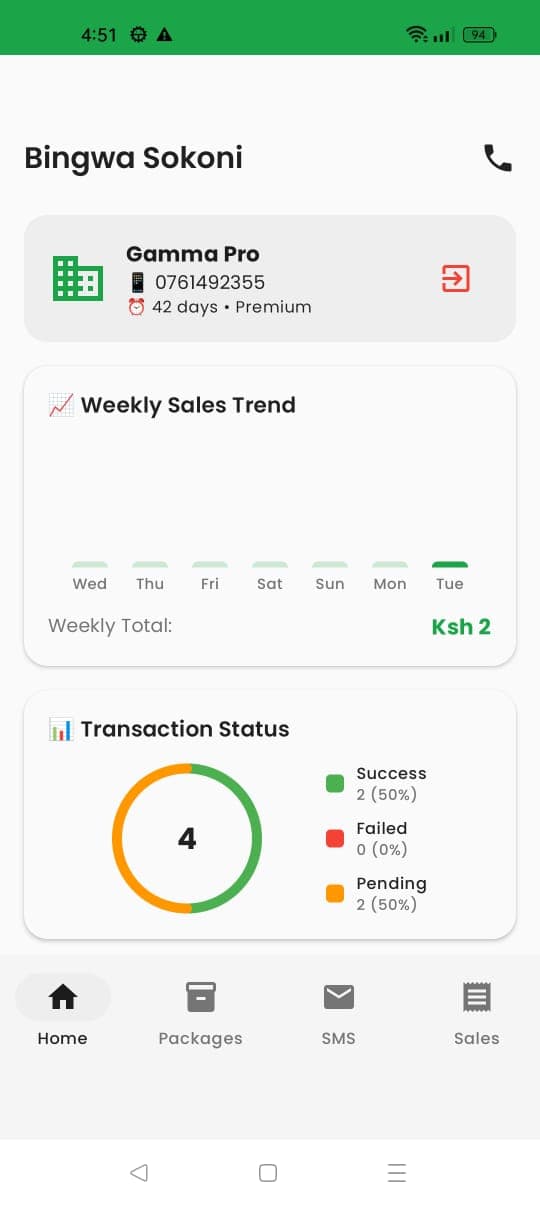
Transaction History - Track all sales
Showing 1-2 of 6
📱 Need Help Installing?
We'll guide you through the installation process step by step!
Don't miss out on commissions!
Start earning 15% on new customers today
Why Use Our App
Automate what you'd do manually through *180# - save time and never miss a sale
Instant Automation
App automatically detects M-PESA payments and processes bundles via USSD - no manual dialing needed
Works Offline
Transactions are queued locally and processed when connection is available
Secure & Private
All data stored locally on your device - no cloud storage of sensitive information
Custom Packages
Configure your own data and voice package offerings for customers
Transaction History
Track all your sales, commissions, and customer transactions in one place
Smart Notifications
Get instant alerts for new payments and successful bundle deliveries
Transform your business today!
Automated tracking • Instant rewards • Real results
Get Bingwa Sokoni Now
Download the app and login with your license credentials to start earning automated commissions
🔐 License Token Required
You need a valid license token to download this app. Purchase your license first to get your token via SMS.
Bingwa Sokoni
Version 1.0 • Android
~10 MB
Installation Notice
Since this app is not on the Play Store, you'll need to temporarily adjust your security settings. Follow the steps below to install safely.
📱 Step-by-Step Installation Guide
Click any step to expandNeed Video Help?
Having trouble? Call or WhatsApp us and we'll guide you through the process!
Common Issues & Solutions
"App not installed" error?
Make sure Play Protect is OFF and Unknown Sources is ON for Chrome. Then try again.
"Blocked by Play Protect"?
Go to Play Store → Profile → Play Protect → Settings → Turn OFF "Scan apps with Play Protect"
Can't find "Unknown Sources" setting?
Use the search bar in Settings and search for "Install unknown apps" or "Unknown sources"
Token not working?
Check that you're using the exact token from your SMS. It's case-sensitive (e.g., "47Mama" not "47mama")
Safe & Secure
After installation, you can re-enable Play Protect and disable Unknown Sources. The app is safe and developed by PEWANG DATA.
Don't Have a Till Number Yet?
Register for a FREE Lipa Na M-PESA till number in just a few simple steps
100% FREE Registration
No registration fees, no monthly charges - just start accepting payments!
Prepare Your Documents
Have your National ID and business registration documents ready
Visit M-Pesa Portal
Go to m-pesaforbusiness.co.ke and click "Apply Now"
Complete Application
Fill in your business details and submit the application form
Get Your Till Number
Receive your till number via SMS within 24-48 hours - completely FREE!
📹 Watch: How to Register for a Till Number
Already have a till number? Great! You're ready to use Bingwa Sokoni
🔥 Limited Time: Get Started for just KES 250!
Try all features for 24 hours • No commitment
Your Privacy is Protected
We built the app with a privacy-first architecture. Your data stays on your device, and we never store your M-PESA messages or transaction details on any server.
Local Data Storage
All transaction data and settings are stored securely on your device only
SMS Reading (M-PESA Only)
The app only reads Safaricom M-PESA messages to detect payments - nothing else
Accessibility Service for USSD
Used only to automate dialing *180# - the same process you'd do manually
What the App Does
- Detects incoming M-PESA payments to your till
- Automatically dials *180# to process Bingwa Sokoni bundles
- Tracks your 15% (new) and 10% (repeat) commissions
- Stores all records locally on your device
- Works offline - syncs when connected
- No data sent to external servers
Note: You must be a registered M-PESA Agent, Dealer, or Lipa Na M-PESA Merchant with a till to use Bingwa Sokoni. Register by dialing *180#.